
MyFoncia is the online client space offered by Foncia to its tenants, co-owners, and landlord owners. The platform centralizes documents, calls for funds, receipts, and exchanges with the agency. Creating an account involves following a two-step procedure, starting with a temporary identifier and then a double validation via email. The security of this space relies on specific reflexes, especially since the email address associated with the account concentrates most of the risks.
The email address of the MyFoncia account, the most exposed link
The security of your space primarily depends on your email inbox. It is this address that receives the confirmation link during account creation, connection notifications, and any password reset requests.
If a third party accesses this email inbox, they can reset the MyFoncia password without ever having the temporary identifier. Before even starting the account creation process, ensure that your email has a strong password and, if possible, two-step authentication.
A technical detail deserves attention: during the first connection procedure, if the email address registered in the Foncia client file is incorrect, you will never receive the validation link. In this case, the only solution is to contact your agency’s customer service to correct this address. A guide detailing how to create a MyFoncia account addresses this common blockage and ways to resolve it.
MyFoncia temporary identifier: where to find it based on your profile
The first connection to MyFoncia is not done with your email. Foncia assigns a distinct temporary identifier, unique to each client, which is used solely to initiate account creation.
- Landlord owners find it on their management report, in a dedicated section.
- Co-owners spot it on their last call for funds, usually at the header or margin of the document.
- Tenants receive it in the welcome email sent at the time of lease signing.
If you have misplaced this document or deleted the email, your Foncia agency can resend this identifier to you. Be careful not to confuse this temporary identifier with your contract number or client reference: these are different data.
Double email validation during account activation
The activation procedure includes two successive email validations, which confuses most users. Many abandon the process after clicking on the first link, thinking their space is active. It is not.
Concrete steps of the activation
After entering the temporary identifier on the official address (my-foncia.fonciamillenium.net), the system sends a first confirmation email. You click on “Confirm the creation of my space.” You are then prompted to set your email address as a permanent identifier and to create a password.
A second email is then sent to validate this new configuration. As long as this second link has not been clicked, the account remains inaccessible. Remember to check your email’s spam folder at each step.
MyFoncia password criteria
The password must contain at least six lowercase letters, one uppercase letter, and one digit. This level of requirement remains modest compared to current standards. Nothing prevents you from choosing a longer password and adding special characters to enhance protection.
Phishing targeting MyFoncia accounts: warning signals and reporting
Phishing attempts targeting Foncia clients exploit a paradox: the official MyFoncia address (fonciamillenium.net) itself resembles a suspicious domain. This unintuitive domain name facilitates the work of fraudsters, whose fake emails sometimes replicate a layout almost identical to that of Foncia.
Foncia has formalized clear rules on this subject. The group never asks for identifiers, passwords, or bank details via email or SMS, even for a supposed “account issue” or “imminent suspension.”
- Always check the sender’s domain: a legitimate email comes from foncia.com or myfoncia.fr.
- The login URL must start with https://myfoncia; any other address is suspicious.
- An urgent tone (“your account will be blocked in 24 hours”) almost always indicates a fraud attempt.
- Foncia has set up a dedicated reporting channel for suspicious emails and unusual behaviors in the client space.
If in doubt, do not click on any links and contact your agency directly by phone or through the client space (if you already have access).
Document management and limits of the MyFoncia online space
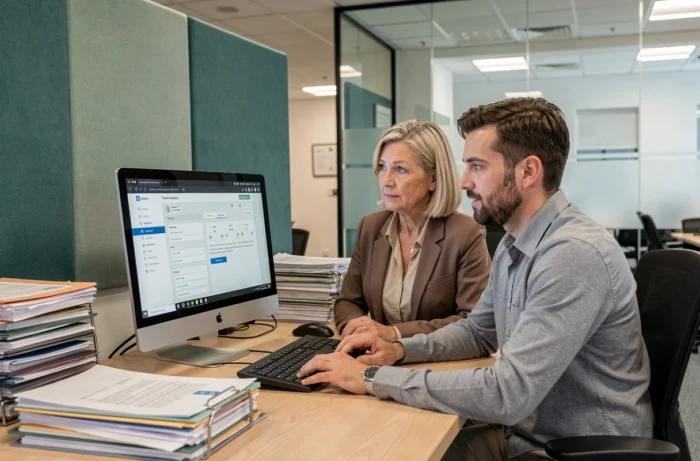
Once the account is activated, the dashboard provides access to contractual documents: receipts, calls for funds, management reports, charge statements. Consultation and download are done directly from the “My accounts” tab.
The MyFoncia mobile app (available on iOS and Android) offers the same functionalities as the web version. It allows you to view your documents and track your payments, but does not replace direct contact with your agency for complex requests (work, disputes, lease modifications).
Some users report varying delays in receiving email alerts related to the uploading of new documents. Regularly checking your space is safer than waiting for a notification.
Creating a MyFoncia account takes just a few minutes, but securing it requires constant vigilance over the associated email address and detecting phishing attempts. A unique password for this space, monitoring unusual logins, and reporting any suspicious messages to Foncia cover most common risks.