
HR4YOU is the human resources management portal used by Auchan to centralize employee data: pay slips, leave, personal information. Access to this portal requires authentication at hr4you.auchan.fr, with a unique identifier for each employee. Unlike many HR platforms, the account is not created automatically upon hiring: it must be manually activated by the human resources department after the employee’s integration.
HR4YOU Auchan Identifier: Employee Number or Professional Email Address
One point that general guides rarely mention precisely: Auchan uses two distinct identifier formats to access HR4YOU. Depending on the account configuration, the employee logs in either with their Auchan employee number (a numeric identifier) or with their professional email address in the format firstname.lastname@auchan.
The assigned format depends on the settings made by HR during account activation. It is not possible to choose between the two. If the format used causes an error during login, the first check is to confirm with the HR department which one has been configured for the account.
To log in to the HR4YOU Auchan portal, simply open a browser, enter the address hr4you.auchan.fr, then enter the identifier followed by the password provided by HR. The login page displays a single field with the “Next” button before asking for the password.

Forgotten Password on HR4YOU: Why Self-Service Does Not Exist
Most online platforms offer a “forgot password” link that sends a reset email. HR4YOU Auchan does not work this way. No self-service reset is possible: neither for the password nor for the identifier.
This lack of self-service is explained by the level of security imposed on the portal. Pay slips and employees’ personal data are sensitive documents under GDPR. Auchan has chosen to centralize all access recovery through the HR department or local technical support.
In practice, this means that any loss of access requires direct contact with the human resources department of the establishment. The timeframes vary depending on the size of the site and the availability of the HR team, but the procedure remains the same for all employees.
Information to Prepare Before Contacting HR
- The Auchan employee number, which appears on old paper pay slips or on the employment contract
- The full name and the affiliated site, so that the HR department can quickly identify the account
- The personal or professional email address linked to the file, depending on the initial configuration
Providing these elements from the first contact speeds up processing. Without the employee number, HR must perform a manual search in the system, which lengthens the delay.
Consulting Pay Slips Online on HR4YOU
Once logged in, the personal space provides access to several sections. The consultation of pay slips is found in the section dedicated to payroll documents. The pay slips are archived in PDF format and can be downloaded individually.
The available history covers the months worked since the activation of the digital account. Pay slips prior to the implementation of the HR4YOU portal are not necessarily digitized: to obtain them, a request to the HR department is still necessary.
What the Employee Space Contains Beyond Payroll
HR4YOU is not limited to pay slips. The portal also includes tracking of leave and absences, personal information (address, bank details, family situation), and contractual documents. Any modification of personal information goes through the portal, which avoids the exchange of paper forms.
The leave tracking allows for real-time balance consultation and submission of requests directly to the manager, who validates or refuses from their own access.
HR4YOU and Birdy: Two Auchan Portals Not to Be Confused
Some Auchan employees receive communications mentioning Birdy or iPortal alongside HR4YOU. These tools coexist within the group’s digital ecosystem, but Birdy is a distinct application that complements HR4YOU without replacing it.
Birdy (also called iPortal in some configurations) mainly serves as a gateway to complementary services: internal news, collaborative tools, access to certain business resources. Pay slips, however, remain accessible via HR4YOU.
The confusion between the two portals is common, especially among new hires who receive multiple identifiers in their first days. In case of doubt about which portal to use, the rule is simple: for anything related to payroll and personal HR data, it’s HR4YOU. For daily internal services, it’s Birdy.
Resolving Common Login Errors on hr4you.auchan.fr
The login page sometimes displays the message “Please enter a correct username.” This error does not mean that the account is locked. It appears in three cases:
- The entered identifier does not match the configured format (employee number instead of email, or vice versa)
- A typo in the identifier, particularly forgetting the @auchan domain for accounts configured with the email address
- The account has not yet been activated by HR, which frequently happens in the first weeks following hiring
- Access has been attempted from an incorrect URL (typing directly eu.auth.auchan.com/idp/SSO.saml2 in the address bar causes a 400 error)
The URL to use is always hr4you.auchan.fr, which automatically redirects to the correct authentication page. Any attempt to access via another path generates technical errors that do not reflect an account problem.
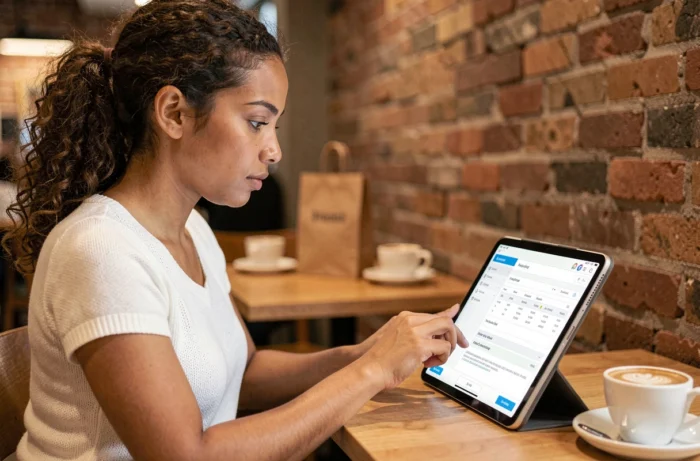
For employees accessing the portal from a phone, the site is responsive and works on standard mobile browsers. No dedicated HR4YOU app needs to be downloaded separately: access is only through the web browser.
One last practical point: after several failed login attempts, the account may be temporarily locked for security reasons. In this case, only the HR department or local technical support can unlock access. It’s better to check the exact identifier before making multiple attempts.